















A spare five minutes
Runs and levels that end quickly.
 Upgrade the Cars
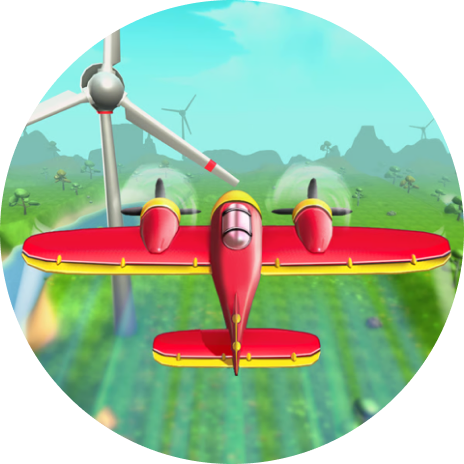 Perfect Landing: Plane Pilot
SelynCraelOnyx is an independent guide to six free games on Poki: how each one plays, the controls, and who it suits. Nothing runs on this site; every guide links out.
Read the six guides →How the guides are written ↓
 Arcade
 Sports
 Puzzle
 Adventure
 HexellentUpgrade the CarsPerfect Landing: Plane Pilot
 Blumgi Bounce
 Soccer Skills 2: World Cup
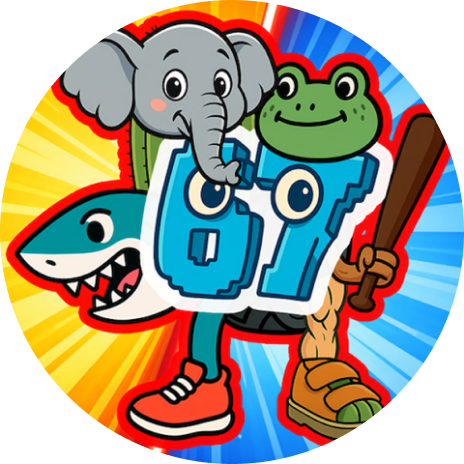 Make Brainrots Online

One guide per game. The two colours on a disc name its genre, and the same pair follows the game through the catalogue and its guide.
Puzzle
Slide stacks of coloured hexagons together until matching layers merge and clear.
Arcade
Steer through number gates to grow your earnings, then spend them on a faster garage.
Arcade
Launch a small plane, steer it through the clouds and fly as far as you can.
Sports
Hold to build power, release, and bank the ball off walls into the hoop.
Sports
Lead a national team through a knockout tournament with drag-and-release passes and shots.
Adventure
Mix odd ingredients into meme creatures, send them into the field and upgrade with what you earn.
Runs and levels that end quickly.
Upgrade the CarsPerfect Landing: Plane Pilot

Played together on the same device.
Blumgi Bounce

No timer pushing you along.
Hexellent

Tournaments and open-ended worlds.
Soccer Skills 2: World CupMake Brainrots Online
Every game belongs to one genre. The pair of colours is fixed, so you can recognise a genre before you read its name.
Short, repeatable runs built on one action you get better at: steering, dodging, timing a turn.
A ball, a goal and the physics between them. You aim, judge power and read how the ball will travel.
Fixed rules and no time pressure by default. Progress comes from planning a move before you make it.
You move a character around a world, collect things and make it grow over a longer session.
How you play each game on a computer and on a touch screen, as listed on its Poki page.
| Game | On a computer | On a touch screen |
|---|---|---|
|
Hexellent
|
Press, drag, release | Press, drag, release |
|
Upgrade the Cars
|
A / D or arrow keys | Swipe left / right |
|
Perfect Landing: Plane Pilot
|
Swipe, then left / right | Swipe, then left / right |
|
Blumgi Bounce
|
Click and hold, release | Touch and hold, release |
|
Soccer Skills 2: World Cup
|
Hold to aim, release | Hold to aim, release |
|
Make Brainrots Online
|
WASD, click | Joystick, tap |
SelynCraelOnyx is written by a small editorial team that looks at each game before describing it. We explain rules, controls and drawbacks in plain language. We are not connected to Poki or to the developers.


Each guide ends with a link to the game's page on Poki. It opens in a new tab; nothing is downloaded or installed.

The game plays in your browser on Poki's site. Poki shows advertising there and asks for its own cookie consent.

We do not host, run or save games. Anything a game remembers is handled by Poki and the developer.
Spotted a mistake or a change in one of the games? Send the game's name and what you noticed.
Yes. All six can be played free of charge on Poki.com. The game pages there carry advertising.
No. The games run in a web browser on Poki. This site only links to them.
All six run on a computer, a phone and a tablet. Every guide lists the controls for a keyboard and for a touch screen.
To the game's page on Poki.com, in a new tab. Nothing is downloaded or installed, and the game runs there rather than here.
One necessary cookie remembers your answer to the cookie notice. Visits are counted only if you accept statistics. The privacy policy sets out the detail.
Write to the editors with the name of the game and what you noticed. We check every report and update the guide if it is out of date.

